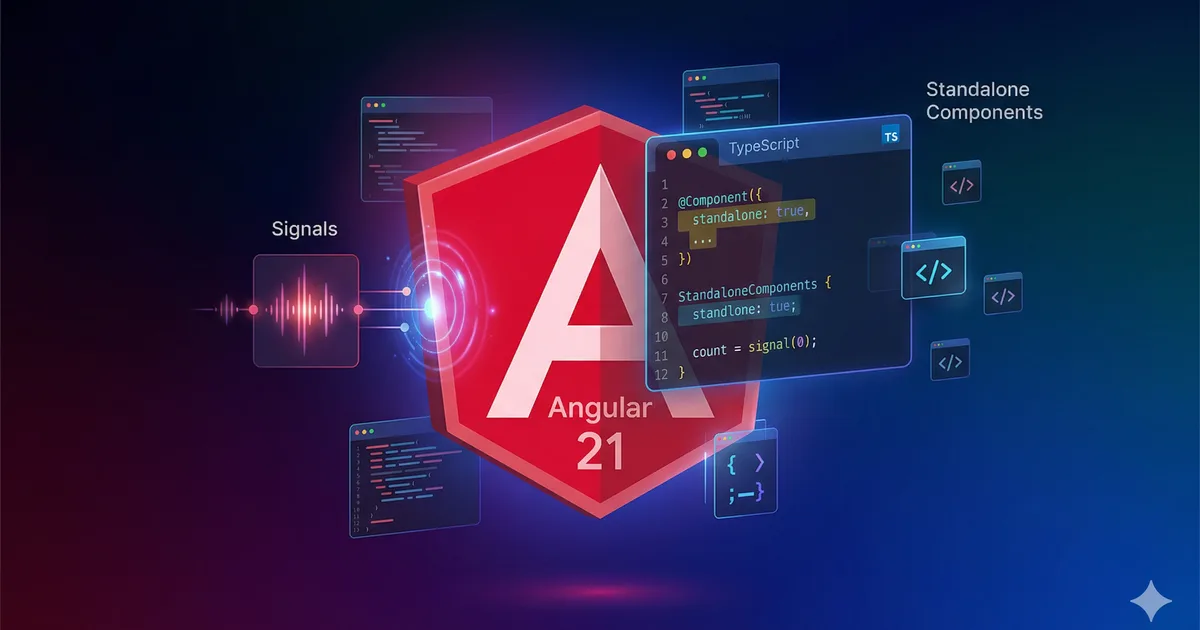

Angular 21: the era of signals and standalone
Angular 21 marks a turning point in the framework's history. With standalone as the default behavior, a mature signals system, and significant performance improvements, Angular positions itself as a modern and pragmatic option for enterprise applications.
Standalone by default
The most visible change in Angular 21 is that all components, directives, and pipes are standalone by default. You no longer need to declare standalone: true in the decorator.
// Angular 20 and earlier
@Component({
  standalone: true, // necesario
  selector: 'app-hello',
  template: `<h1>Hola {{ name() }}</h1>`,
})
export class HelloComponent { }

// Angular 21
@Component({
  selector: 'app-hello',
  template: `<h1>Hola {{ name() }}</h1>`,
})
export class HelloComponent { } // standalone por defecto
What happens with NgModules?
NgModules still work but are considered legacy. Angular provides a migration schematic:
ng generate @angular/core:standalone-migrationThis command automatically converts your NgModule components to standalone, updating imports and providers.
Mature Signals system
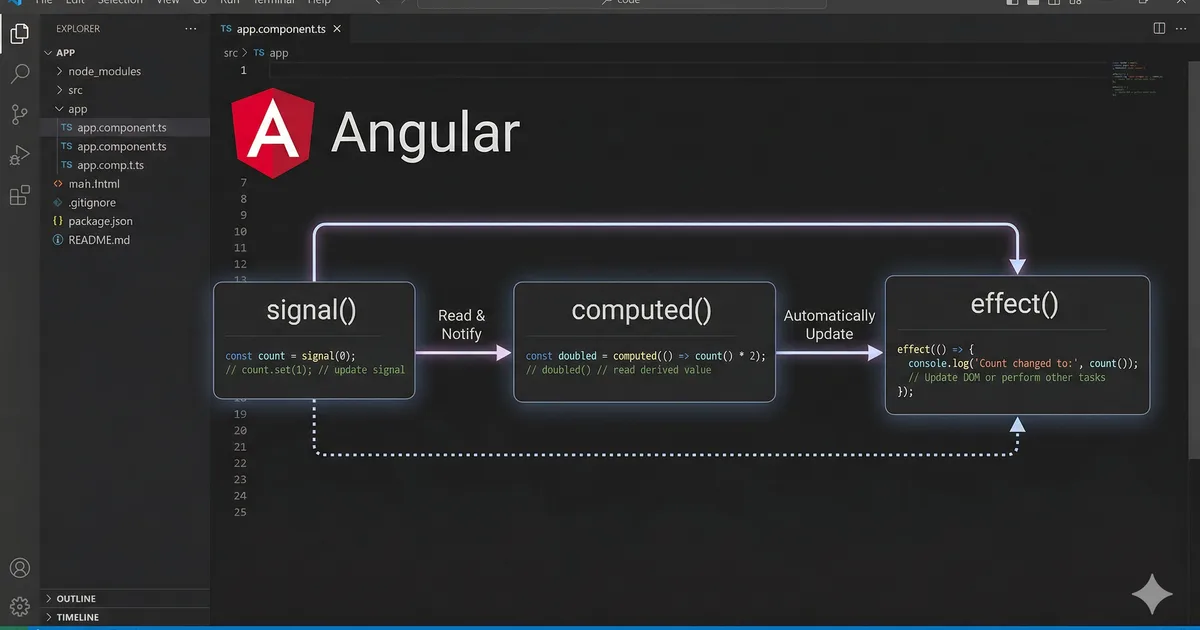
Angular 21 consolidates the signals system with new APIs and performance improvements.
Signal Inputs
Signal inputs replace the @Input() decorator with a signals-based API:
// Before: @Input decorator
@Input() title: string = '';
@Input({ required: true }) id!: number;

// Angular 21: signal inputs
title = input<string>('');
id = input.required<number>();
Advantages:
- They are signals, so they can be used in
computed()andeffect() - Stricter typing
- Better integration with OnPush
Signal Outputs
Similar to inputs, outputs now have a functional API:
// Before
@Output() save = new EventEmitter<FormData>();

// Angular 21
save = output<FormData>();
linkedSignal
linkedSignal is a new API that creates a signal that syncs with another one but allows local writes:
const selectedCountry = signal('Bolivia');

// Se actualiza cuando selectedCountry cambia, pero se puede escribir
const selectedCity = linkedSignal(() => {
  const country = selectedCountry();
  return country === 'Bolivia' ? 'Oruro' : 'Desconocida';
});

// Escritura local
selectedCity.set('La Paz'); // funciona

// Pero si selectedCountry cambia, se recalcula
selectedCountry.set('Peru'); // selectedCity vuelve a 'Desconocida'
Signal queries
DOM queries are now also signals:
// Before
@ViewChild('myInput') myInput!: ElementRef;
@ViewChildren(ItemComponent) items!: QueryList<ItemComponent>;

// Angular 21
myInput = viewChild<ElementRef>('myInput');
items = viewChildren(ItemComponent);

// Se pueden usar en computed
isEmpty = computed(() => this.items().length === 0);
Hydration and SSR improvements
Incremental hydration
Angular 21 introduces incremental hydration, which allows hydrating components on demand instead of the entire page at once:
@Component({
  selector: 'app-comments',
  template: `
    @defer (hydrate on viewport) {
      <app-comment-list [comments]="comments()" />
    }
  `,
})
export class CommentsComponent {
  comments = input.required<Comment[]>();
}
Available hydration triggers:
| Trigger | Description |
|---|---|
hydrate on idle |
When the browser is idle |
hydrate on viewport |
When the element enters the viewport |
hydrate on interaction |
On interaction (click, focus, etc.) |
hydrate on hover |
On cursor hover |
hydrate on timer(ms) |
After a set time |
hydrate never |
Static content only, no hydration |
Event replay
During hydration, Angular now captures and replays user events. If a user clicks a button before hydration completes, the event is stored and executed when the component is ready.
Stable control flow
Block-based control flow is now the only recommended approach:
<!-- @if reemplaza *ngIf -->
@if (user(); as u) {
  <p>Bienvenido, {{ u.name }}</p>
} @else {
  <p>Inicia sesión</p>
}

<!-- @for reemplaza *ngFor (requiere track) -->
@for (item of items(); track item.id) {
  <app-item [data]="item" />
} @empty {
  <p>No hay elementos</p>
}

<!-- @switch reemplaza ngSwitch -->
@switch (status()) {
  @case ('loading') {
    <app-spinner />
  }
  @case ('error') {
    <app-error [message]="errorMsg()" />
  }
  @default {
    <app-content [data]="data()" />
  }
}
New Router APIs
Improved withComponentInputBinding
Route parameters are automatically injected as signal inputs:
// En la configuración de rutas
provideRouter(routes, withComponentInputBinding());

// En el componente - el parametro :id se inyecta automaticamente
@Component({ ... })
export class ProductDetailComponent {
  id = input.required<string>(); // se llena con el parametro :id
}
Functional guards and resolvers
// Guard funcional
export const authGuard: CanActivateFn = () => {
  const auth = inject(AuthService);
  const router = inject(Router);

  if (auth.isAuthenticated()) return true;
  return router.createUrlTree(['/login']);
};

// Resolver funcional
export const productResolver: ResolveFn<Product> = (route) => {
  const service = inject(ProductService);
  return service.getById(route.paramMap.get('id')!);
};
Migration guide
Step 1: Update Angular CLI
ng update @angular/core@21 @angular/cli@21Step 2: Run automatic migrations
# Migrar a standalone (si aun usas NgModules)
ng generate @angular/core:standalone-migration

# Migrar inputs/outputs a signals
ng generate @angular/core:signal-input-migration
ng generate @angular/core:output-migration

# Migrar control flow
ng generate @angular/core:control-flow-migration
Step 3: Verify breaking changes
- Remove
standalone: truefrom all decorators (it is now the default) - Replace
@HostBindingand@HostListenerwith thehostproperty in the decorator - Verify that
inject()is used instead of constructor injection
Step 4: Optimize for signals
- Convert component properties to
signal() - Use
computed()for derived state - Replace simple
Subjectswith signals where possible - Ensure all components use
OnPush
Conclusion
Angular 21 completes the transition to a reactive model based on signals, with standalone by default and mature migration tools. If you are coming from earlier versions, the automatic migrations greatly facilitate the update. If you are starting a new project, Angular 21 offers a modern, typed, and performant development experience from day one.
Comments (0)
Sign in to comment