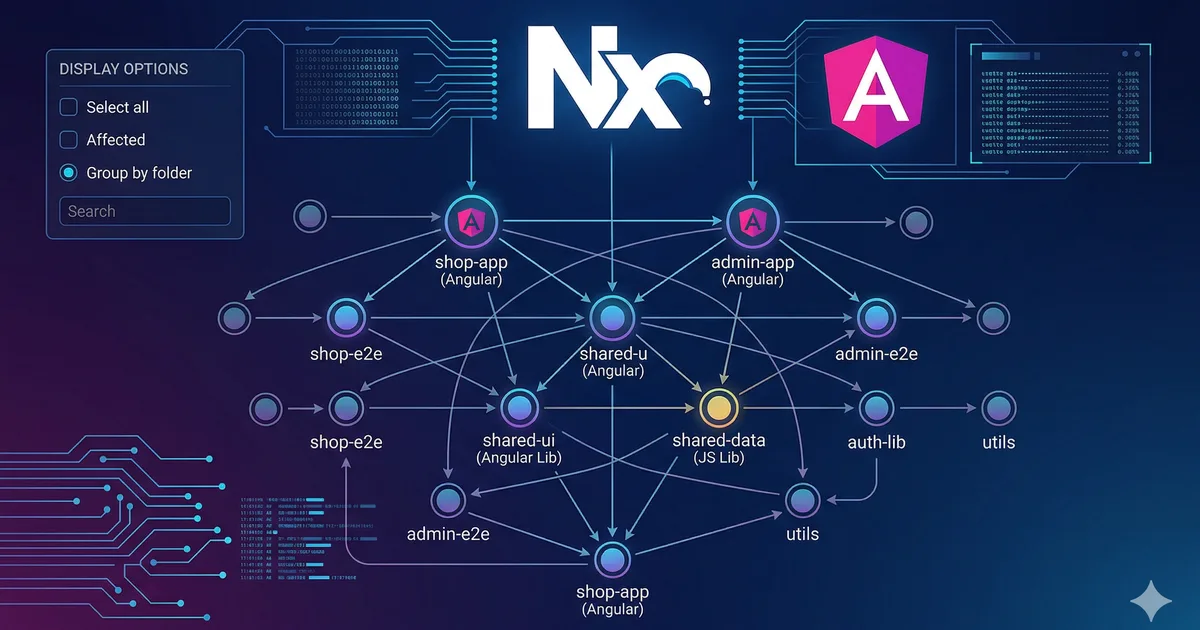

Why a monorepo
When a project grows, the question is not whether you need a monorepo, but when. Signs that it is time:
- You have multiple apps that share code (web, admin, mobile)
- You copy files between repositories
- Changes in a library require updating several repos
- Your team is growing and you need clear boundaries between modules
A monorepo does not mean "everything in one file." It means multiple projects in a single repository with tools that connect them intelligently.
Why Nx for Angular
Nx is the most mature monorepo toolkit for the Angular ecosystem. It was created by former members of the Angular team at Google and offers:
- Smart caching: Does not rebuild things that have not changed
- Dependency graph: Visualizes relationships between projects
- Generators: Scaffolding for apps, libraries, and components
- Affected commands: Only runs tests/builds on what changed
- Official plugins: Angular, React, Node, Nest, and more
Step 1: Create the workspace
Use the first code block to create your workspace. The angular-monorepo preset configures everything needed for Angular with Nx best practices.
Workspace structure
After creation, your workspace looks like this:
mi-workspace/
  apps/
    web-app/
      src/
        app/
        assets/
        index.html
        main.ts
        styles.css
      project.json
      tsconfig.app.json
  libs/
  nx.json
  tsconfig.base.json
  package.json
The fundamental separation is:
- apps/: Deployable applications. They should be thin (only bootstrapping and routing)
- libs/: Reusable libraries. This is where the real logic lives
Step 2: Create libraries
Libraries are the heart of an Nx monorepo. Follow a clear taxonomy. The second code block shows how to create different types.
Library taxonomy
Organize your libraries into these categories:
| Type | Purpose | Example |
|---|---|---|
| feature | Complete functionality with routing | libs/features/courses |
| ui | Reusable UI components | libs/shared/ui |
| data-access | Services, state management | libs/shared/data-access |
| util | Pure functions, helpers | libs/shared/utils |
| models | Interfaces, types, enums | libs/shared/models |
Path aliases
Nx automatically configures path aliases in tsconfig.base.json:
{
  "compilerOptions": {
    "paths": {
      "@mi-workspace/shared/ui": ["libs/shared/ui/src/index.ts"],
      "@mi-workspace/shared/models": ["libs/shared/models/src/index.ts"],
      "@mi-workspace/shared/utils": ["libs/shared/utils/src/index.ts"],
      "@mi-workspace/features/courses": ["libs/features/courses/src/index.ts"]
    }
  }
}
This allows clean imports between libraries:
import { ButtonComponent } from '@mi-workspace/shared/ui';
import { Course } from '@mi-workspace/shared/models';
import { slugify } from '@mi-workspace/shared/utils';
Step 3: Move logic to libraries
The golden rule: apps should be thin. All logic moves to libraries. Your app.routes.ts only connects features:
import { Routes } from '@angular/router';

export const appRoutes: Routes = [
  {
    path: '',
    loadComponent: () =>
      import('@mi-workspace/features/home')
        .then(m => m.HomeComponent),
  },
  {
    path: 'cursos',
    loadChildren: () =>
      import('@mi-workspace/features/courses')
        .then(m => m.coursesRoutes),
  },
  {
    path: 'blog',
    loadChildren: () =>
      import('@mi-workspace/features/blog')
        .then(m => m.blogRoutes),
  },
];
Step 4: Boundaries and rules
Module boundaries
Nx lets you define rules about which libraries can import from which. Configure tags in each project.json:
{
  "name": "features-courses",
  "tags": ["scope:courses", "type:feature"]
}
And rules in .eslintrc.json:
{
  "rules": {
    "@nx/enforce-module-boundaries": [
      "error",
      {
        "depConstraints": [
          {
            "sourceTag": "type:feature",
            "onlyDependOnLibsWithTags": ["type:ui", "type:data-access", "type:util", "type:models"]
          },
          {
            "sourceTag": "type:ui",
            "onlyDependOnLibsWithTags": ["type:util", "type:models"]
          },
          {
            "sourceTag": "type:util",
            "onlyDependOnLibsWithTags": ["type:models"]
          },
          {
            "sourceTag": "type:models",
            "onlyDependOnLibsWithTags": []
          }
        ]
      }
    ]
  }
}
This ensures that:
- Features can use UI, data-access, utils, and models
- UI can only use utils and models
- Utils can only use models
- Models depend on nothing
Why boundaries matter
Without boundaries, a monorepo quickly becomes spaghetti. Circular dependencies appear, changes in a library break everything, and the graph becomes unmanageable. Boundaries prevent this from day one.
Step 5: Cache and affected
Local cache
Nx caches the results of build, test, and lint. If you run nx build web-app and nothing changed, the result is served from cache instantly:
# First time: full build
npx nx build web-app
# => 45 seconds

# Second time with no changes: cache hit
npx nx build web-app
# => 0.3 seconds (from cache)
Nx Cloud (remote cache)
Nx Cloud lets you share cache between developers and CI:
npx nx connectWhen a teammate has already built a library, you get the result from remote cache without compiling. In large teams, this saves hours of CI per day.
Affected commands
The affected commands only run tasks for projects impacted by recent changes:
# Only test what changed
npx nx affected -t test

# Only build what changed
npx nx affected -t build

# Only lint what changed
npx nx affected -t lint
Step 6: Optimized CI
GitHub Actions with Nx
name: CI
on: [push, pull_request]

jobs:
  main:
    runs-on: ubuntu-latest
    steps:
      - uses: actions/checkout@v4
        with:
          fetch-depth: 0

      - uses: actions/setup-node@v4
        with:
          node-version: 22
          cache: npm

      - run: npm ci

      - uses: nrwl/nx-set-shas@v4

      - run: npx nx affected -t lint test build
The nx-set-shas step automatically determines what changed between the current and previous commit, so that affected works correctly.
Step 7: Add a second app
The monorepo advantage materializes when you add another app:
npx nx generate @nx/angular:application admin-panel \
  --directory=apps/admin-panel \
  --routing=true \
  --style=css
This new app can import the same shared libraries:
// In admin-panel/src/app/app.routes.ts
import { ButtonComponent } from '@mi-workspace/shared/ui';
import { Course } from '@mi-workspace/shared/models';
You change the UI component once and both apps update.
Visualize the graph
Nx has a built-in visualization tool:
npx nx graphThis opens a browser with the interactive dependency graph. You can see which library depends on which, identify circular dependencies, and understand the impact of a change.
Common mistakes
Libraries that are too granular
Do not create a library per component. Group by domain. A shared/ui library with 15 components is better than 15 libraries with one component each.
Apps with logic
If your app has more than routes and bootstrapping, you are doing it wrong. Move that logic to a feature library.
Not configuring boundaries
A monorepo without boundaries is worse than separate repos. Configure the rules from day one.
Ignoring cache
If your CI does not use Nx cache or Nx Cloud, you are wasting the main advantage of a monorepo.
Conclusion
Nx transforms Angular project management at a professional level. Smart caching, affected commands, and module boundaries give you structure and speed that would be very hard to achieve with homegrown tools.
Start with one app and a few libraries. As your project grows, the monorepo scales with you without becoming chaos.
Comments (0)
Sign in to comment