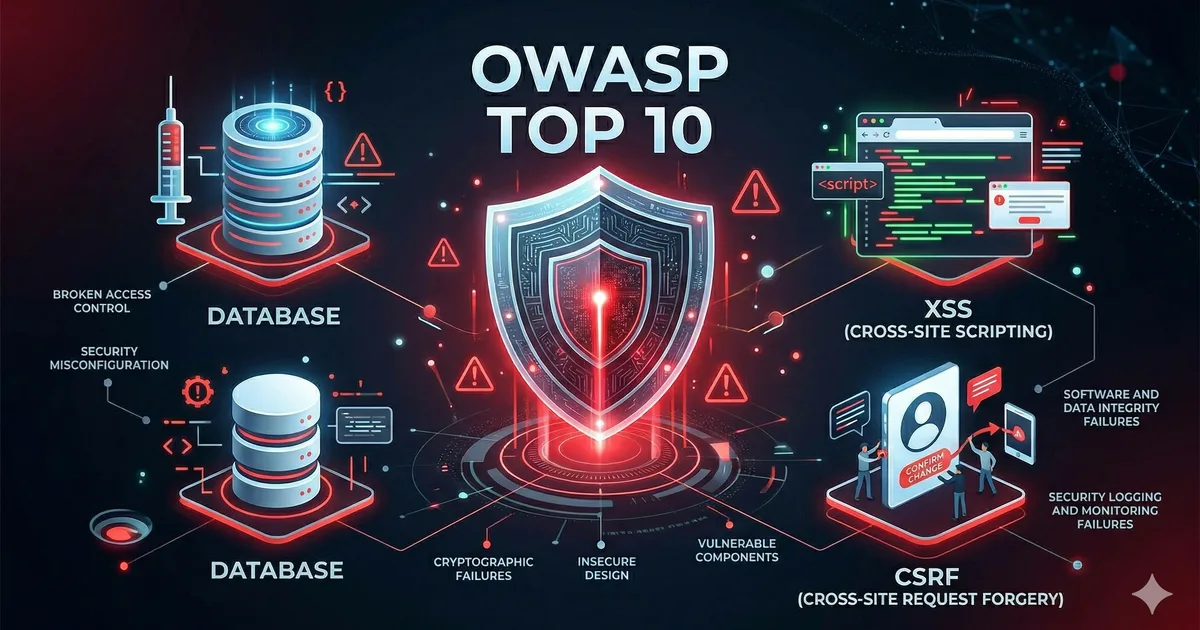

What is OWASP Top 10?
OWASP (Open Web Application Security Project) periodically publishes a list of the 10 most critical vulnerabilities in web applications. It is the industry standard reference for web security.
This guide covers each vulnerability with examples of vulnerable code and its secure version.
A01: Broken Access Control
Broken access control is the number one vulnerability. It occurs when users can act outside their intended permissions.
Common examples
- Accessing other users' accounts by changing the ID in the URL
- Escalating privileges from regular user to admin
- Manipulating tokens or cookies to bypass checks
Vulnerable code
// VULNERABLE: does not verify the user owns the resource
app.get('/api/users/:id/profile', async (req, res) => {
  const profile = await db.getProfile(req.params.id);
  res.json(profile); // Any user can view any profile
});
Secure code
// SECURE: verify authorization
app.get('/api/users/:id/profile', authenticate, async (req, res) => {
  const requestedId = req.params.id;
  const authenticatedUserId: string = req.user.id;

  if (requestedId !== authenticatedUserId && !req.user.isAdmin) {
    return res.status(403).json({ error: 'Not authorized' });
  }

  const profile = await db.getProfile(requestedId);
  res.json(profile);
});
Prevention
- Deny access by default
- Implement access control on the server, never only on the frontend
- Log and alert on access control failures
- Rate limit API requests
A02: Cryptographic Failures
Cryptographic failures include transmitting sensitive data in plain text, using obsolete algorithms, or mismanaging keys.
Common mistakes
// VULNERABLE: hashing with MD5 or SHA1
import crypto from 'crypto';
const hash = crypto.createHash('md5').update(password).digest('hex');

// VULNERABLE: storing sensitive data unencrypted
localStorage.setItem('creditCard', '4532-1234-5678-9012');

// VULNERABLE: transmitting sensitive data in the URL
fetch(`/api/reset-password?token=${token}&newPassword=${password}`);
Correct solution
- Use bcrypt, scrypt, or Argon2 for passwords
- Encrypt sensitive data at rest with AES-256
- Use HTTPS for all traffic
- Do not transmit sensitive data in URLs or query parameters
- Generate keys and tokens with cryptographically secure functions
A03: Injection
Injections occur when untrusted data is sent to an interpreter as part of a command or query.
Types of injection
| Type | Vector | Example |
|---|---|---|
| SQL Injection | SQL queries | ' OR 1=1 -- |
| NoSQL Injection | MongoDB queries | {"$gt": ""} |
| Command Injection | OS commands | ; rm -rf / |
| LDAP Injection | LDAP queries | `)(uid=))( |
| Template Injection | Template engines | {{constructor.constructor('return this')()}} |
Universal prevention
- Always use parameterized queries
- Validate and sanitize all input
- Use ORMs that parameterize automatically
- Apply the principle of least privilege on the database
A04: Insecure Design
Insecure design refers to fundamental flaws in the application architecture that cannot be fixed with better implementation.
Example
INSECURE password recovery flow:
1. User requests reset
2. Security question is sent (easy to guess)
3. Password is displayed on screen

SECURE flow:
1. User requests reset with their email
2. A cryptographic token with expiration (30 min) is generated
3. A unique link is sent to the registered email
4. The token is single-use and invalidated upon use
Secure design principles
- Model threats before writing code
- Apply defense in depth (multiple security layers)
- Separate responsibilities and permissions
- Fail securely (deny by default)
A05: Security Misconfiguration
Incorrect configuration is one of the most frequent and easiest-to-exploit vulnerabilities.
Configuration checklist
// Verify security configuration in Express
interface SecurityConfig {
  helmet: boolean;
  cors: {
    origin: string[];
    credentials: boolean;
  };
  rateLimit: {
    windowMs: number;
    max: number;
  };
  production: {
    stackTraces: boolean;
    debugMode: boolean;
    defaultCredentials: boolean;
  };
}

const secureConfig: SecurityConfig = {
  helmet: true,
  cors: {
    origin: ['https://yourdomain.com'],  // Do NOT use '*'
    credentials: true
  },
  rateLimit: {
    windowMs: 15 * 60 * 1000,
    max: 100
  },
  production: {
    stackTraces: false,    // NEVER in production
    debugMode: false,      // NEVER in production
    defaultCredentials: false // ALWAYS change
  }
};
A06: Vulnerable and Outdated Components
Using dependencies with known vulnerabilities is like leaving the door open.
Mitigation strategy
# Audit dependencies regularly
npm audit

# Audit production only
npm audit --production

# Automatically fix what is possible
npm audit fix

# View outdated dependencies
npm outdated

# Automatic tools
# Enable Dependabot or Renovate in your repository
Recommended policy
- Audit dependencies on every CI build
- Update dependencies with critical vulnerabilities within 24 hours
- Update dependencies with high vulnerabilities within 1 week
- Review transitive dependencies (the ones your dependencies use)
A07: Identification and Authentication Failures
Authentication failures allow attackers to compromise passwords, tokens, or exploit implementation flaws.
Minimum password requirements
interface PasswordValidation {
  isValid: boolean;
  errors: string[];
}

function validatePassword(password: string): PasswordValidation {
  const errors: string[] = [];

  if (password.length < 12) {
    errors.push('Minimum 12 characters');
  }
  if (password.length > 128) {
    errors.push('Maximum 128 characters');
  }
  if (!/[A-Z]/.test(password)) {
    errors.push('At least one uppercase letter');
  }
  if (!/[a-z]/.test(password)) {
    errors.push('At least one lowercase letter');
  }
  if (!/[0-9]/.test(password)) {
    errors.push('At least one number');
  }
  if (!/[^A-Za-z0-9]/.test(password)) {
    errors.push('At least one special character');
  }

  return { isValid: errors.length === 0, errors };
}
A08: Software and Data Integrity Failures
Occurs when code or infrastructure does not protect against integrity violations: insecure CI/CD pipelines, updates without verification, CDN dependencies without integrity checks.
Subresource Integrity (SRI)
<!-- INSECURE: loading a CDN script without verification -->
<script src="https://cdn.example.com/lib.js"></script>

<!-- SECURE: with SRI, the browser verifies the hash -->
<script
  src="https://cdn.example.com/lib.js"
  integrity="sha384-oqVuAfXRKap7fdgcCY5uykM6+R9GqQ8K/uxAh6VgnSY"
  crossorigin="anonymous">
</script>
A09: Security Logging and Monitoring Failures
Without proper logs, you cannot detect or respond to attacks.
What to log
interface SecurityLog {
  timestamp: string;
  event: string;
  severity: 'INFO' | 'WARN' | 'ERROR' | 'CRITICAL';
  userId: string | null;
  ip: string;
  details: Record<string, unknown>;
}

function logSecurityEvent(log: SecurityLog): void {
  // Send to centralized logging system
  console.log(JSON.stringify({
    ...log,
    timestamp: new Date().toISOString()
  }));
}

// Critical events you MUST log:
// - Failed login attempts
// - Password/email changes
// - Access control failures (403)
// - Suspicious input validation errors
// - Permission/role changes
A10: Server-Side Request Forgery (SSRF)
SSRF occurs when an attacker can make your server send requests to arbitrary destinations.
Prevention
// VULNERABLE: user controls the URL
app.get('/api/fetch-url', async (req, res) => {
  const url = req.query.url as string;
  const response = await fetch(url); // Can access internal network!
  res.json(await response.json());
});

// SECURE: validate and restrict URLs
function isUrlAllowed(url: string): boolean {
  try {
    const parsed = new URL(url);

    // HTTPS only
    if (parsed.protocol !== 'https:') return false;

    // Block internal IPs
    const blockedPatterns = [
      /^localhost$/i,
      /^127\./,
      /^10\./,
      /^172\.(1[6-9]|2[0-9]|3[0-1])\./,
      /^192\.168\./,
      /^0\./,
      /^169\.254\./  // Link-local
    ];

    if (blockedPatterns.some(p => p.test(parsed.hostname))) return false;

    // Allowlist of permitted domains
    const allowedDomains = ['api.github.com', 'api.example.com'];
    return allowedDomains.includes(parsed.hostname);
  } catch {
    return false;
  }
}
Conclusion
The OWASP Top 10 is not just a list: it is a framework for building secure applications. Each vulnerability has clear, proven countermeasures.
The key is to integrate security from the design phase, not as an afterthought patch. Use this guide as a checklist on every project and periodically review OWASP updates.


Comments (0)
Sign in to comment