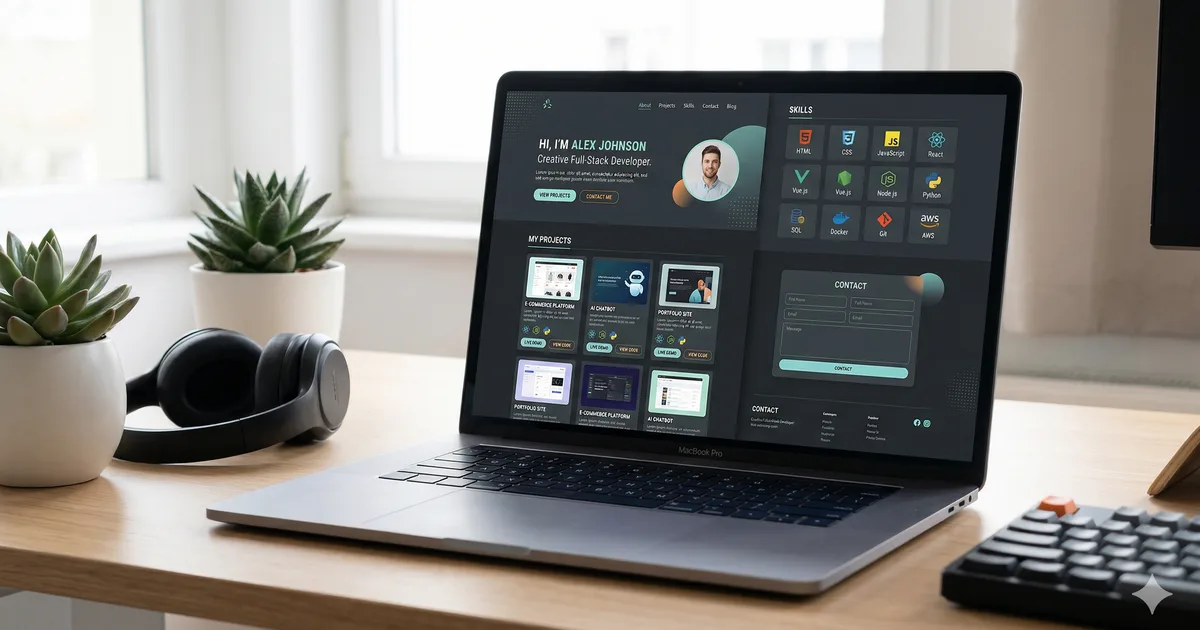

Your portfolio is your silent interview
Before a recruiter sends you a message, before a client contacts you, your portfolio is already speaking for you. It is the first impression you make as a developer and, in many cases, the only opportunity to prove you are the right person.
At Bemorex we review hundreds of portfolios per year when looking for talent. The difference between those that land interviews and those that do not usually comes down to details that are easy to fix.
What your portfolio should have
1. Clear and direct hero section
The first 3 seconds determine whether someone keeps reading or closes the tab. Your hero should answer three questions:
- Who you are: Your name and professional title
- What you do: A sentence describing your specialty
- How to contact you: A visible CTA (contact button or LinkedIn link)
Effective example: "David Morales - Frontend Developer specializing in Angular and design systems. Available for remote projects."
Ineffective example: "Welcome to my website. I am passionate about technology and I like to learn new things."
2. Projects section (the most important)
This is the section that really matters. Each project should include:
- Screenshot or demo: A picture is worth a thousand words
- Title and description: What problem it solves and why it matters
- Tech stack: Technologies used with icons or badges
- Your role: What you specifically did
- Links: Link to the live site and to the repository (if open source)
- Results: Metrics if you have them (users, performance, impact)
How many projects to show
Quality over quantity. 3-5 well-presented projects are more effective than 15 mediocre ones. Select the ones that best represent your skills and the type of work you want to get.
3. About me (brief and genuine)
Do not write an autobiography. Tell your story in 2-3 paragraphs:
- Your background and how you got into development
- What you specialize in and what motivates you
- A personal touch that makes you memorable
If you are from Latin America, mention it. Many companies value cultural diversity and the timezone compatibility with the US.
4. Tech stack
Show the technologies you master in a visual way. Use icons or a clean layout. Group by category:
- Frontend: Angular, TypeScript, Tailwind, etc.
- Backend: Node.js, NestJS, PostgreSQL, etc.
- Tools: Git, Docker, Firebase, AWS, etc.
Important rule: only include technologies where you could pass a technical interview. Do not list something you used once in a tutorial.
5. Blog or articles (differentiator)
Having a blog integrated into your portfolio is a huge differentiator. It demonstrates that:
- You can communicate technical ideas clearly
- You stay up to date
- You have deep knowledge, not just surface-level
- You contribute value to the community
You do not need to publish every week. One article per month is enough to keep the section active.
6. Functional contact form
It seems obvious, but the number of portfolios we have reviewed with broken forms is surprising. Options:
- Form with a backend service (Firebase, Formspree, EmailJS)
- Direct link to your email with
mailto: - Link to your LinkedIn or Calendly to schedule calls
Test your form after deploying. Send yourself a test message.
Design: less is more
Design principles for your portfolio
- Simplicity: A clean design conveys professionalism
- White space: Do not saturate the page. Let the content breathe
- Readable typography: Maximum 2 fonts. One for headings, another for body
- Adequate contrast: Meet WCAG AA (4.5:1 ratio for normal text)
- Responsive: Looks good on mobile, tablet, and desktop
- Dark mode: A theme toggle demonstrates attention to detail
Colors
Choose a reduced palette:
- One primary color (your brand color)
- One secondary or accent color
- Neutrals for backgrounds and text
- Do not use more than 3-4 colors total
Animations
Less is more. Subtle animations on scroll or hover are fine. Animations that block content, confetti on every section, or 2-second transitions drive recruiters away.
Common mistakes that cost you interviews
1. Using templates without customizing
Recruiters recognize templates from Vercel or ThemeForest at a glance. If you use a template as a starting point, customize colors, typography, content, and layout enough to make it your own.
2. Projects without context
"To-do app with React" says nothing. "Task management system with React, TypeScript, and Firebase that allows teams of up to 10 people to collaborate in real time" says a lot.
3. Broken links
Demos that no longer work, private repos, images that do not load. Check everything every month.
4. Zero accessibility
If your portfolio cannot be navigated with a keyboard, has no alt text on images, or has insufficient contrast, you are saying that accessibility does not matter to you. Many companies prioritize it.
5. Poor performance
If your portfolio takes 5 seconds to load, the irony is palpable. Optimize images, minimize JavaScript, and aim for a Lighthouse score of 90+ in all categories.
6. Outdated information
If your latest project is from 2023 and we are in 2026, you are conveying that you stopped growing. Keep your portfolio updated at least every quarter.
Recommended stack for your portfolio
Option 1: Angular (if it is your main framework)
If you specialize in Angular, your portfolio should be built in Angular. Demonstrate mastery of the framework:
- Angular with SSR for SEO
- Tailwind or CSS custom properties for styles
- Firebase Hosting for deployment
- Animations with Angular Animations API
Option 2: Astro (for maximum performance)
Astro generates ultra-fast static sites:
- Zero JavaScript by default
- Support for components from any framework
- Markdown for integrated blog
- Deploy on any CDN
Option 3: Next.js (if you work with React)
- SSG + ISR for dynamic content
- Vercel for instant deployment
- MDX for blog posts
What I do NOT recommend
- WordPress: Too heavy for a developer portfolio
- Wix/Squarespace: Does not demonstrate technical skills
- HTML/CSS only: Unless you are an absolute junior
SEO for your portfolio
Your portfolio needs to be findable:
- Title and meta description on each page
- Open Graph tags for social media sharing
- Sitemap.xml and robots.txt
- Clean URLs:
/projects/my-appnot/page?id=123 - Schema markup: Person type with your professional data
- Performance: Google prioritizes fast sites
Custom domain
A custom domain costs $10-15 USD per year and makes an enormous difference:
yourName.dev- Modern extension for developersyourName.com- Classic and professionalyourName.io- Popular in tech
Avoid: free subdomains like yourname.netlify.app or yourname.github.io (they are fine to start, but migrate as soon as you can).
Quality free hosting
- Firebase Hosting: Fast, with free SSL and easy to configure
- Vercel: Automatic deployment from GitHub
- Netlify: Similar to Vercel with serverless functions
- GitHub Pages: For simple static sites
Ongoing maintenance
Your portfolio is not a project that gets finished. It is a living product:
- Monthly: Verify that all links work
- Quarterly: Update projects and stack
- Biannually: Review the overall design and consider improvements
- Annually: Evaluate if you need a complete redesign
Conclusion
Your portfolio is the investment with the best return you can make in your career. A well-executed portfolio can be the difference between being ignored and receiving multiple interview offers.
Do not wait to have the perfect portfolio to publish it. Publish a minimum version today, iterate on it every week, and in a month you will have something that opens doors. Remember: a published portfolio is always better than a perfect portfolio that never ships.


Comments (0)
Sign in to comment