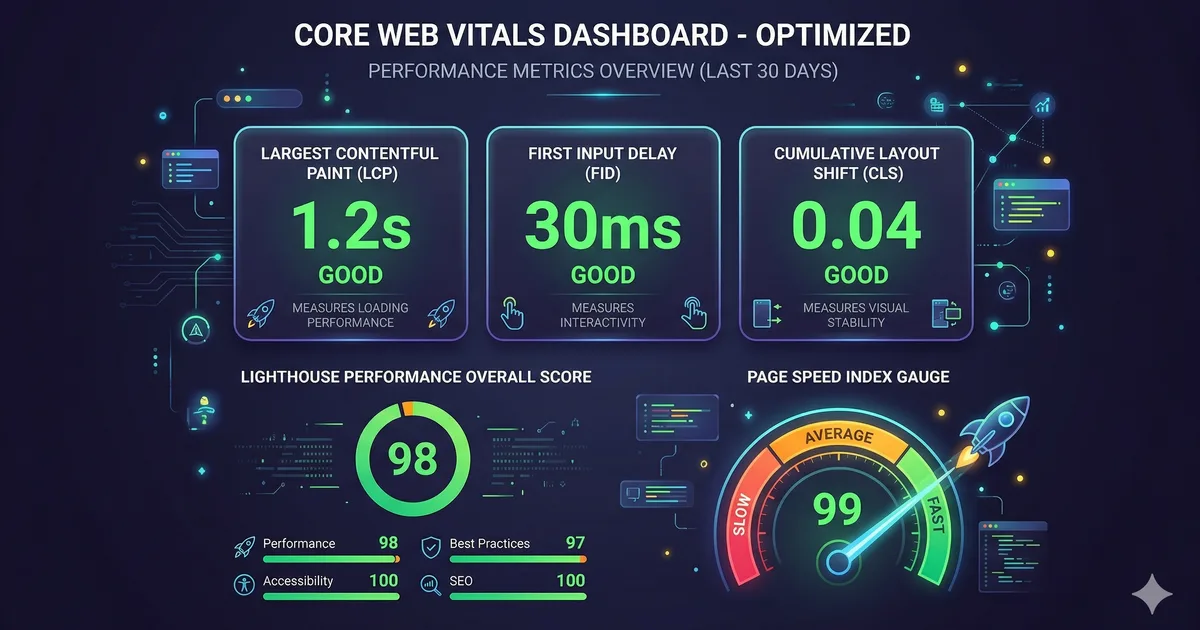

What are Core Web Vitals?
Core Web Vitals are a set of metrics defined by Google that measure the real user experience on a web page. In 2026 the three main metrics are:
- LCP (Largest Contentful Paint): visual loading speed
- INP (Interaction to Next Paint): responsiveness
- CLS (Cumulative Layout Shift): visual stability
These metrics are ranking factors in Google and directly affect user conversion and retention.
LCP: Largest Contentful Paint
LCP measures how long it takes to render the largest visible element in the viewport. It's usually a hero image, a video, or a large text block.
Thresholds
| Classification | Time |
|---|---|
| Good | <= 2.5 seconds |
| Needs improvement | <= 4.0 seconds |
| Poor | > 4.0 seconds |
Strategies to optimize LCP
1. Optimize the hero image
<!-- Usar formato moderno con fallback -->
<picture>
  <source srcset="/hero.avif" type="image/avif" />
  <source srcset="/hero.webp" type="image/webp" />
  <img src="/hero.jpg" alt="Banner principal"
       width="1200" height="600"
       fetchpriority="high"
       loading="eager" />
</picture>
Key points:
- Use
fetchpriority="high"on the LCP image - Never use
loading="lazy"on the LCP image - Prefer AVIF or WebP formats
- Always specify
widthandheight
2. Preload critical resources
<head>
  <!-- Precargar la imagen LCP -->
  <link rel="preload" as="image" href="/hero.webp"
        type="image/webp" fetchpriority="high" />

  <!-- Precargar la fuente principal -->
  <link rel="preload" as="font" href="/fonts/inter.woff2"
        type="font/woff2" crossorigin />
</head>
3. Eliminate render-blocking CSS and JS
<!-- CSS crítico inline -->
<style>
  /* Solo estilos above-the-fold: header, hero, nav */
  :root { --color-bg: #0a0a0f; }
  .hero { min-height: 60vh; display: grid; place-items: center; }
</style>

<!-- CSS no crítico cargado de forma asincrona -->
<link rel="stylesheet" href="/styles.css" media="print"
      onload="this.media='all'" />

<!-- JavaScript diferido -->
<script src="/app.js" defer></script>
4. Server-Side Rendering (SSR)
If you use an SPA framework like Angular, implement SSR so the HTML arrives pre-rendered:
Without SSR: Empty HTML -> Download JS -> Execute JS -> Render -> LCP
With SSR:    Complete HTML -> LCP (while JS downloads in parallel)
INP: Interaction to Next Paint
INP replaced FID (First Input Delay) in March 2024. It measures the total time from when the user interacts (click, tap, keystroke) until the browser paints the next frame.
Thresholds
| Classification | Time |
|---|---|
| Good | <= 200 ms |
| Needs improvement | <= 500 ms |
| Poor | > 500 ms |
Anatomy of an interaction
INP = Input Delay + Processing Time + Presentation Delay

1. Input Delay: time waiting for the main thread to be free
2. Processing Time: time executing event handlers
3. Presentation Delay: time calculating layout, paint, and composite
Strategies to optimize INP
1. Break up long tasks
// MAL: tarea larga que bloquea el hilo principal
function procesarDatos(items) {
  for (const item of items) {
    // operación costosa por cada item
    transformar(item);
  }
}

// BIEN: dividir en chunks con yield al navegador
async function procesarDatos(items) {
  const CHUNK_SIZE = 50;

  for (let i = 0; i < items.length; i += CHUNK_SIZE) {
    const chunk = items.slice(i, i + CHUNK_SIZE);

    for (const item of chunk) {
      transformar(item);
    }

    // Ceder el control al navegador entre chunks
    await scheduler.yield();
  }
}
2. Use requestIdleCallback for non-urgent work
function trackEvent(data) {
  // No bloquear la interacción del usuario
  requestIdleCallback(() => {
    analytics.send(data);
  });
}
3. Virtualize long lists
Instead of rendering 10,000 elements in the DOM, use virtualization to render only the visible ones. In Angular, you can use @angular/cdk/scrolling:
import { CdkVirtualScrollViewport } from '@angular/cdk/scrolling';

// Solo renderiza los items visibles + buffer
CLS: Cumulative Layout Shift
CLS measures the sum of all unexpected layout changes during the page's lifetime.
Thresholds
| Classification | Score |
|---|---|
| Good | <= 0.1 |
| Needs improvement | <= 0.25 |
| Poor | > 0.25 |
Common causes of CLS and solutions
1. Images without dimensions
<!-- MAL: provoca layout shift cuando carga -->
<img src="foto.jpg" alt="Foto" />

<!-- BIEN: reserva espacio con width y height -->
<img src="foto.jpg" alt="Foto" width="800" height="450" />

<!-- BIEN: usar CSS aspect-ratio -->
<img src="foto.jpg" alt="Foto" style="aspect-ratio: 16/9; width: 100%;" />
2. Web fonts causing FOUT
/* Usar font-display: swap con tamaños similares */
@font-face {
  font-family: 'Inter';
  src: url('/fonts/inter.woff2') format('woff2');
  font-display: swap;
  /* Ajustar metricas para minimizar el shift */
  size-adjust: 100%;
  ascent-override: 90%;
  descent-override: 20%;
  line-gap-override: 0%;
}
3. Dynamically injected content
/* Reservar espacio para banners o ads */
.ad-slot {
  min-height: 250px;
  width: 100%;
  contain: layout;
}
4. Animations that cause layout
/* MAL: top/left provocan layout */
.menu {
  position: absolute;
  top: 0;
  transition: top 0.3s;
}

/* BIEN: transform no provoca layout */
.menu {
  position: absolute;
  transform: translateY(0);
  transition: transform 0.3s;
}
Measurement tools
Field data (Real User Monitoring)
- Chrome UX Report (CrUX): Real aggregated data from millions of Chrome users
- web-vitals library: JavaScript library to measure in your own users
import { onLCP, onINP, onCLS } from 'web-vitals';

onLCP(metric => sendToAnalytics('LCP', metric));
onINP(metric => sendToAnalytics('INP', metric));
onCLS(metric => sendToAnalytics('CLS', metric));
Lab data
- Lighthouse: Automated audits in Chrome DevTools
- WebPageTest: Detailed testing under different network conditions
- Chrome DevTools Performance panel: Frame-by-frame analysis
Web performance checklist
- The LCP image uses
fetchpriority="high"and a modern format - Critical CSS is inlined in the
<head> - Non-critical JavaScript uses
deferorasync - All images have
widthandheightdefined - Web fonts use
font-display: swapwithpreload - JS tasks longer than 50ms are split into chunks
- Animations use
transformandopacity, not layout properties - Third-party resources use
preconnectordns-prefetch
Conclusion
Optimizing Core Web Vitals is not just an SEO concern: it's about building an experience that respects your users' time and attention. With LCP, INP, and CLS as guides, you have concrete, actionable metrics. Measure, optimize, measure again. Performance is a continuous process, not a destination.
Comments (0)
Sign in to comment