
Introduction
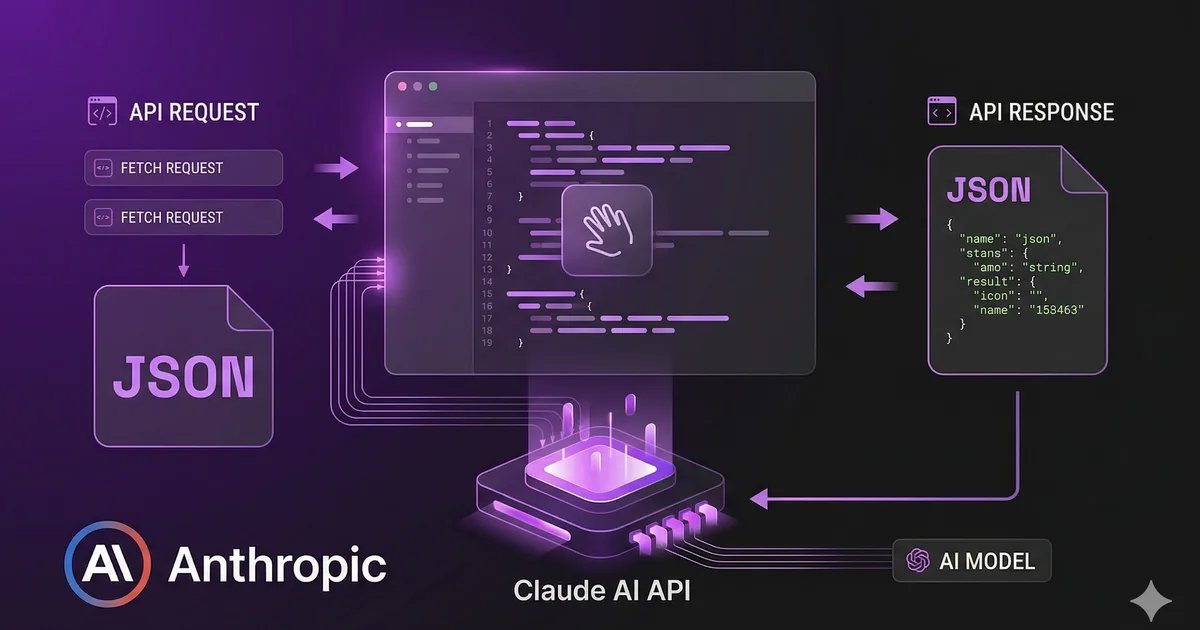
The Claude API from Anthropic allows you to integrate advanced artificial intelligence into any web application. In this tutorial we will build a complete integration using native fetch(), without additional SDKs.
We will cover everything from the most basic call to advanced features like streaming and tool use.
Prerequisites
Before starting, you need:
- An account at console.anthropic.com
- An active API key
- Node.js 18+ (to use native
fetchon the backend)
Important: Never expose your API key on the frontend. Always make calls from your backend.
Your first API call
The Claude API uses the /v1/messages endpoint. Each call requires three mandatory headers:
Content-Type: application/jsonx-api-key: Your API keyanthropic-version: API version (use2023-06-01)
The body requires at minimum: model, max_tokens, and messages.
Available models
| Model | Ideal use | Speed | Capability |
|---|---|---|---|
| claude-opus-4-20250514 | Complex tasks, deep reasoning | Moderate | Maximum |
| claude-sonnet-4-20250514 | General balance | Fast | High |
| claude-haiku-3-5-20241022 | Fast tasks, high volume | Very fast | Good |
Response anatomy
The API response has this structure:
{
  "id": "msg_01XFDUDYJgAACzvnptvVoYEL",
  "type": "message",
  "role": "assistant",
  "content": [
    {
      "type": "text",
      "text": "TypeScript es un superset de JavaScript..."
    }
  ],
  "model": "claude-sonnet-4-20250514",
  "stop_reason": "end_turn",
  "usage": {
    "input_tokens": 12,
    "output_tokens": 156
  }
}
Key points:
contentis an array (it can contain text and/or tool_use)usagetells you how many tokens you consumed (important for costs)stop_reasonindicates why the model stopped generating
Streaming: real-time responses
To improve the user experience, you can use streaming. Instead of waiting for the complete response, you receive tokens as they are generated.
You only need to add stream: true to the request body. The response will be a stream of Server-Sent Events (SSE).
Stream event types
| Event | Description |
|---|---|
message_start |
Start of the message with metadata |
content_block_start |
Start of a content block |
content_block_delta |
Text fragment (the actual content) |
content_block_stop |
End of the block |
message_delta |
Final update with stop_reason and usage |
message_stop |
End of the message |
System prompts
The system prompt defines the model's behavior. It is ideal for setting your application's context:
const response = await fetch('https://api.anthropic.com/v1/messages', {
  method: 'POST',
  headers: {
    'Content-Type': 'application/json',
    'x-api-key': process.env.ANTHROPIC_API_KEY,
    'anthropic-versión': '2023-06-01'
  },
  body: JSON.stringify({
    model: 'claude-sonnet-4-20250514',
    max_tokens: 1024,
    system: 'Eres un tutor de programación. Responde en español. Usa ejemplos de código cuando sea relevante.',
    messages: [
      { role: 'user', content: 'Como uso map en JavaScript?' }
    ]
  })
});
Multi-turn conversations
To maintain a conversation, pass the entire message history:
const messages = [
  { role: 'user', content: 'Que es una Promise?' },
  { role: 'assistant', content: 'Una Promise es un objeto que representa...' },
  { role: 'user', content: 'Dame un ejemplo práctico' }
];

const response = await fetch('https://api.anthropic.com/v1/messages', {
  method: 'POST',
  headers: {
    'Content-Type': 'application/json',
    'x-api-key': process.env.ANTHROPIC_API_KEY,
    'anthropic-versión': '2023-06-01'
  },
  body: JSON.stringify({
    model: 'claude-sonnet-4-20250514',
    max_tokens: 1024,
    messages
  })
});
Claude will remember all the conversation context.
Tool Use: extend Claude's capabilities
Tool Use allows Claude to call functions that you define. This is extremely powerful for connecting Claude with external APIs, databases, or any business logic.
Tool Use flow
- You define available tools with their schema
- You send the user's question
- Claude decides whether it needs to use a tool
- If it does, it returns the name and parameters
- You execute the function and send the result back
- Claude generates the final response with that result
Production error handling
A robust wrapper for production must handle errors, retries, and rate limiting:
async function callClaudeWithRetry(messages, maxRetries = 3) {
  for (let attempt = 0; attempt < maxRetries; attempt++) {
    try {
      const response = await fetch('https://api.anthropic.com/v1/messages', {
        method: 'POST',
        headers: {
          'Content-Type': 'application/json',
          'x-api-key': process.env.ANTHROPIC_API_KEY,
          'anthropic-versión': '2023-06-01'
        },
        body: JSON.stringify({
          model: 'claude-sonnet-4-20250514',
          max_tokens: 1024,
          messages
        })
      });

      if (response.status === 429) {
        const retryAfter = response.headers.get('retry-after') || '30';
        const waitMs = parseInt(retryAfter) * 1000;
        console.log(`Rate limited. Esperando ${retryAfter}s...`);
        await new Promise(r => setTimeout(r, waitMs));
        continue;
      }

      if (response.status === 529) {
        const waitMs = Math.pow(2, attempt) * 1000;
        console.log(`API sobrecargada. Reintento en ${waitMs}ms...`);
        await new Promise(r => setTimeout(r, waitMs));
        continue;
      }

      if (!response.ok) {
        const error = await response.json();
        throw new Error(`API Error ${response.status}: ${error.error.message}`);
      }

      return await response.json();
    } catch (error) {
      if (attempt === maxRetries - 1) throw error;
      const waitMs = Math.pow(2, attempt) * 1000;
      await new Promise(r => setTimeout(r, waitMs));
    }
  }
}
Security and best practices
Protect your API key
- Store it in environment variables, never in code
- Use a backend as a proxy between your frontend and the API
- Rotate keys periodically
Control costs
function estimateCost(inputTokens, outputTokens, model) {
  const pricing = {
    'claude-sonnet-4-20250514': { input: 3, output: 15 },
    'claude-haiku-3-5-20241022': { input: 0.25, output: 1.25 }
  };

  const rates = pricing[model];
  const inputCost = (inputTokens / 1_000_000) * rates.input;
  const outputCost = (outputTokens / 1_000_000) * rates.output;

  return { inputCost, outputCost, total: inputCost + outputCost };
}
Validate user input
Always sanitize and validate input before sending it to the API. Limit the maximum length and filter unwanted content.
Conclusion
Integrating the Claude API with native fetch() is straightforward and requires no additional dependencies. The key concepts are: basic calls, streaming for better UX, tool use to extend capabilities, and robust error handling for production.
Start with simple calls, add streaming when you improve the UX, and explore tool use when you need to connect Claude with your systems.
Comments (0)
Sign in to comment